PerfectSync comes to the web player
Viewers listening through a car stereo or a Bluetooth speaker can now calibrate the delay right from the web player, with nothing to install. Here's how it works on Android and iPhone, how we tested it, and how to turn it on for your display.

PulseMesh Team
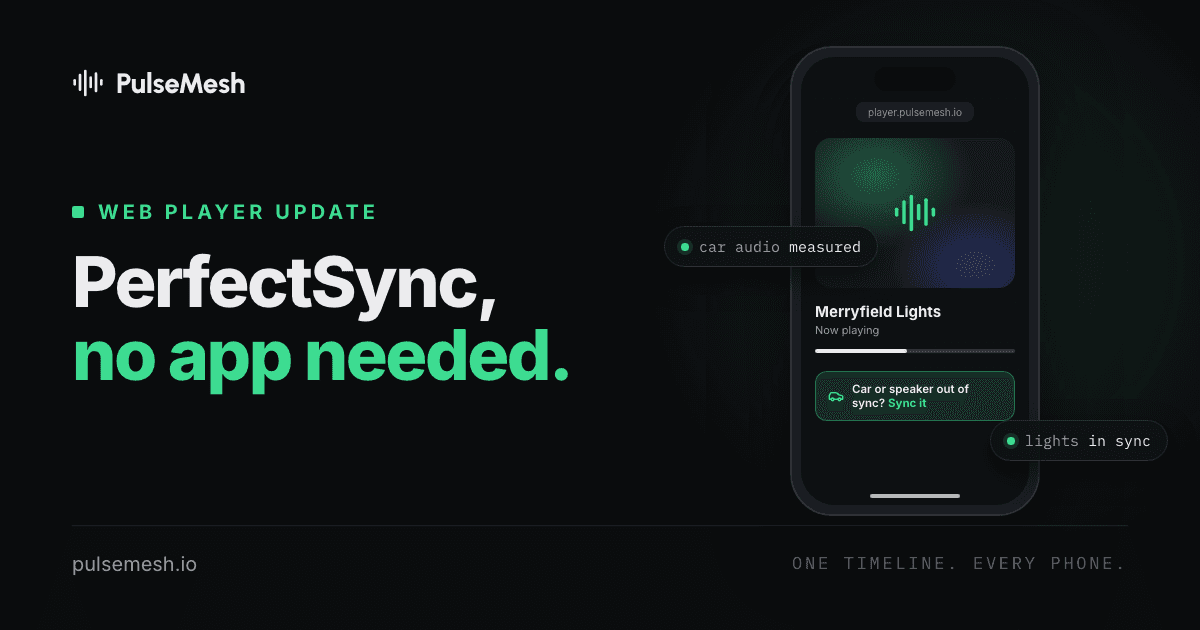
Every car stereo and Bluetooth speaker adds a little delay after the phone plays a sound. Most of them tell the phone how much, and PulseMesh plays early by exactly that amount, so the music leaves the speakers on the beat. Some of them get that number wrong, sometimes by a quarter of a second or more. For those viewers the music trails your lights no matter how well the phone itself is synced.
PerfectSync fixes that by measuring the real delay. Until now it was only in the PulseMesh app. When we brought the web player up to the app's level in October, we called PerfectSync the one thing a web page couldn't do.
It can now. PerfectSync works in the web player, on Android and iPhone, with nothing to install.
What viewers see
On a display with PerfectSync turned on for the web player, a small button appears under the player: Car or speaker out of sync? Sync it. Viewers listening on the phone's own speaker can ignore it. Nothing happens until it's tapped. There's no microphone prompt and no pop-up.
A viewer who taps it picks what they're listening on, and the phone measures the delay. The show goes quiet for several seconds while the phone plays a few short sounds through the car or speaker and listens to them with its microphone. Then the music comes back, lined up with the lights.
The result is saved for that car or speaker. On the next visit, the player offers it with one tap instead of measuring again.
If a measurement can't be made, or comes out unclear, the player offers a slider instead, so the viewer can line the music up by ear.
On Android: measured in the page
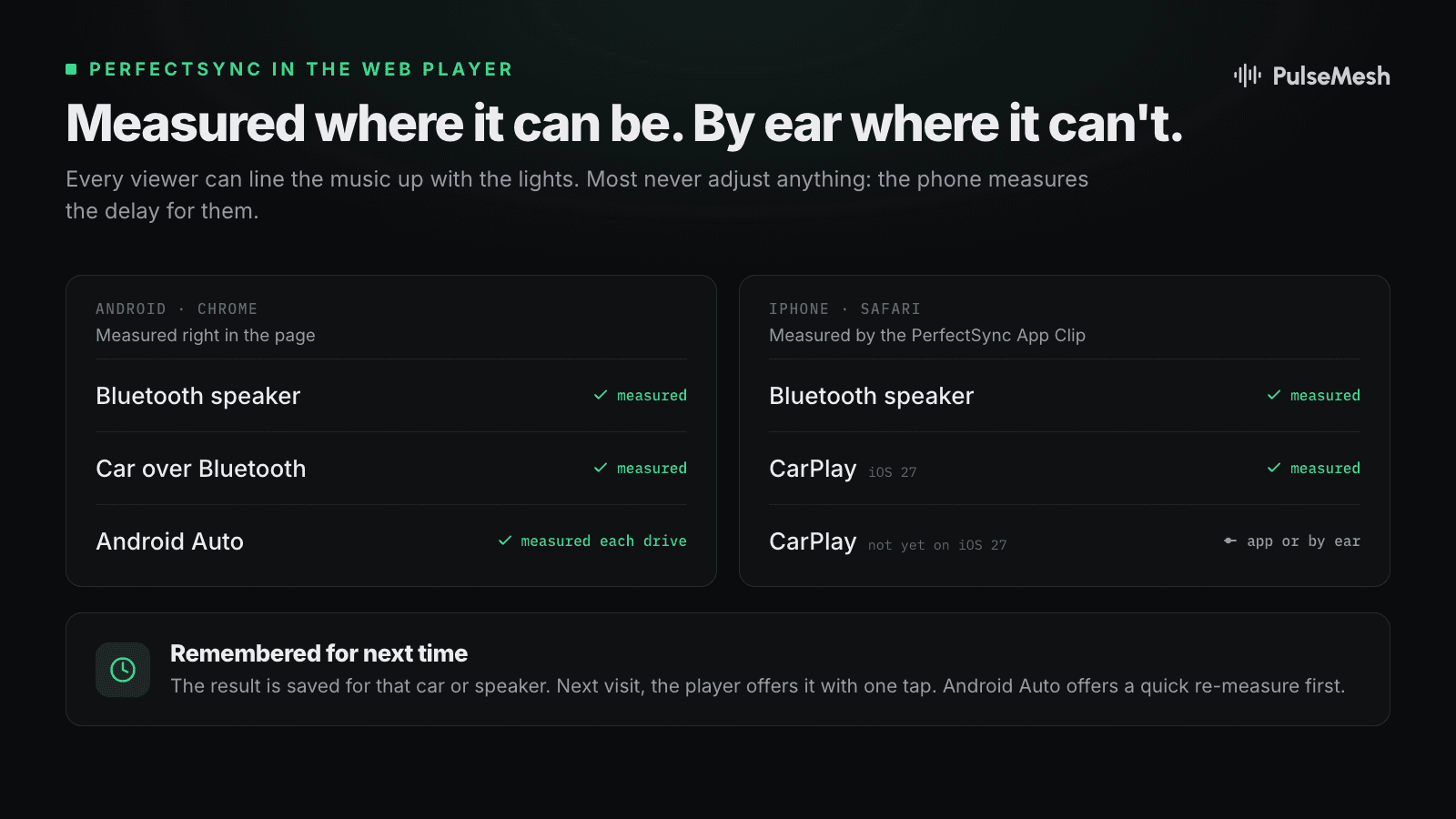
On Android, the web player runs the whole measurement itself, in Chrome. The hard part was making sure it measures the same path the music takes during the show. Cars and speakers with their own microphone can switch into call audio the moment a page starts listening, and a measurement of call audio is a measurement of the wrong thing. The player keeps the music on its normal path while it listens.
Android Auto measures each drive. Android Auto's delay can change from one drive to the next, so a number from last week isn't a safe bet today. When a viewer connects over Android Auto, the player offers a quick sync of a few seconds first, with last time's value as the second choice. The first time a viewer allows the microphone, some cars play a short call tone, and the player says so before it starts.
On iPhone: the PerfectSync App Clip
Safari can't measure a car or a Bluetooth speaker from inside a web page. When a web page turns the microphone on, iOS changes how the audio is routed, so the page would be measuring a different path from the one the music takes.
So on iPhone the measurement is done by an App Clip, a small piece of the PulseMesh app that iOS opens on the spot, without installing anything. The viewer taps Open the App Clip, the clip measures the delay the same way the PulseMesh app does, and Back to the show returns them to Safari, synced.
CarPlay on iPhones not yet on iOS 27 is the one case nothing in Safari can measure. Before iOS 27, Safari plays web audio over CarPlay in a way whose delay can't be measured, so the player offers the slider. You can also have it suggest the PulseMesh app, which measures CarPlay on any iOS version (see below).
How we tested it
We used the same rig as for background sync: the show player plays a timecode track alongside the music, and a multi-channel audio interface records the show's own output and the audio coming out of each phone, so we can see to the millisecond how far each phone is from the show.
- Bluetooth speaker, before. On a Bluetooth speaker that reports its delay wrong, the web player landed about 420 milliseconds behind the show. You hear that clearly.
- Bluetooth speaker, after. After a PerfectSync calibration in the web player, a Galaxy S24, Galaxy A52, Pixel 7 Pro and Pixel 6a landed between 31 milliseconds behind and 14 ahead of the show, three of the four within 18.
- Android Auto. Across a BMW i4 on wireless Android Auto, a Mazda CX-9 on wired Android Auto and a test adapter, calibrations centred on the show, within about 30 milliseconds either way.
- CarPlay. In a BMW i4 on wireless CarPlay, an iPhone on iOS 27 calibrated through the App Clip landed within 12 milliseconds of the show.
Turning it on for your display
PerfectSync in the web player is in beta and off by default. You turn it on per display:
- Open your display on the dashboard.
- In the Perfect Sync card, switch on Web player. The Native app switch above it controls the PulseMesh app, as before.
- Optionally, switch on iPhones not yet on iOS 27, in CarPlay: suggest the PulseMesh app. Those viewers then get a choice: open your display in the PulseMesh app, where PerfectSync measures CarPlay, or adjust by ear in the browser. With it off, they only get the slider.
The Web player switch is available on Pro plans and up, for displays on PulseMesh v2. That's FPP shows on the v2 connector and v2 Cloud Players.
If you're on FPP and haven't switched yet, it takes about a minute from the plugin's page.
For the technical folks
- Browsers weren't built for this. A web page gets the microphone's audio in chunks, and the timing of those chunks moves around by more than the accuracy we need. Getting measurements that hold up against our timecode rig took a different approach to timing, checked phone by phone.
- The App Clip measures like the app. On iPhone, the App Clip uses the same native measurement as the PulseMesh app and hands the result back to the show, so Safari gets the app's measurement.
- Changes land exactly. The sync engine normally ignores tiny errors so it doesn't chase noise. A calibration is different: when the delay changes on purpose, the player applies the new value exactly, within about a second.
- Android Auto, every drive. Turning on the microphone can nudge Android Auto's delay, and the nudge lasts until the audio restarts. A quick measurement at the start of each drive keeps the value matched to the audio that's actually playing.
- Why CarPlay before iOS 27 stays by ear. Safari plays audio over CarPlay there in a way whose delay a page can't see, so a measured number wouldn't hold. We'd rather offer a slider than a calibration that's wrong.
Turn it on, connect your phone to your car, and listen.